
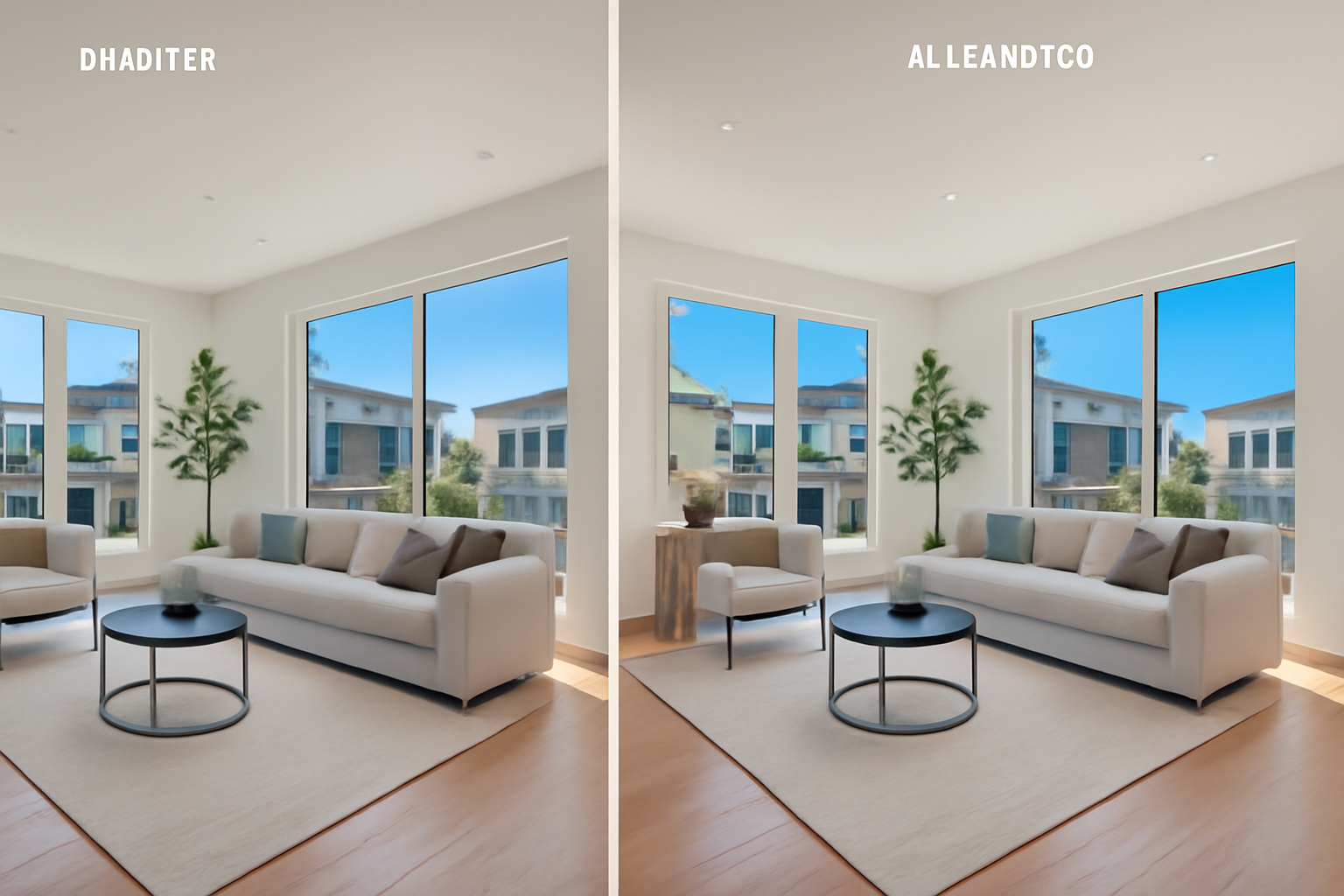
In the competitive world of real estate, visuals play a pivotal role in attracting potential buyers or renters. Given the ubiquitous presence of smartphones, many agents and property owners wonder whether the convenience of phone photography can compete with professional photography, especially when enhanced by AI technology. In this article, we dive deep into the comparison of phone photos versus those taken by professional photographers with AI editing, showcasing why and how AI can revolutionize your real estate visuals.
Understanding the Limitations of Phone Photography
Smartphone cameras have come a long way, boasting impressive hardware and software capabilities. However, they still have limitations, particularly in real estate photography:
- Lens Quality: Phone cameras often cannot match the depth and detail captured by professional cameras with specialized lenses.
- Lighting Challenges: Smartphones struggle in low-light conditions and high-contrast scenes, which are common in real estate.
- Dynamic Range: Capturing both shadows and highlights in one shot remains a challenge for most smartphone cameras.
While phone photos offer convenience, these limitations can detract from potential buyers' or renters' first impressions.
The Professional Photographer Advantage
Professional real estate photographers use high-quality cameras and lenses designed specifically for capturing detailed, high-resolution images. Here's why this matters:
Tailored Expertise
Professional photographers bring an eye for detail and composition, ensuring every shot highlights the property's best features. They understand how to use lighting and angles effectively to create inviting images.
Advanced Equipment
Using equipment such as DSLR or mirrorless cameras, wide-angle lenses, and tripods, photographers can capture full-room shots and correct perspective distortion, presenting a more accurate picture of the space.
Post-Processing Skills
After the shoot, photographers enhance images using advanced editing software, ensuring colors are true-to-life and details are crisp. However, this process can be time-consuming.
The Role of AI in Photo Enhancement
AI photo enhancement offers an intriguing middle ground between phone photography and professional photographer editing by accelerating the editing process while achieving near-professional results. Here’s how:
Speed and Efficiency
AI tools can process and enhance photos in seconds, adjusting lighting, correcting colors, and enhancing details automatically, which saves time for real estate agents and photographers.
Consistency
AI ensures images are uniformly enhanced, maintaining a consistent look across all listings, crucial for a professional online presence.
Cost-Effectiveness
For those unable to hire a professional photographer for every property, AI can provide high-quality enhancements at a fraction of the cost.
Real Estate PhotoEditor.com's Free Trial
RealEstatePhotoEditor.com offers a free trial for users to explore the AI photo enhancement benefits. This tool can transform ordinary phone photos into visually appealing listing images, helping agents and property owners present properties in the best light possible.
Practical Tips for Using AI Photo Enhancement
-
Start with High-Quality Images: Even AI can't fix poorly taken images. Use the best camera available, whether it be your phone or a DSLR.
-
Consistency is Key: Ensure your enhanced images match in style and lighting to present a cohesive portfolio.
-
Highlight Key Features: Use AI tools to ensure important aspects like views, natural light, and space are enhanced.
-
Experiment with Tools: Take advantage of features like sky replacement and virtual staging to create appealing, ready-to-view listings.
Conclusion: The Best of Both Worlds
While phone photos provide convenience and professional photography ensures quality, AI photo enhancement offers a bridge, enhancing the quality of phone photos to near-professional levels efficiently and affordably. For real estate professionals, leveraging AI tools such as RealEstatePhotoEditor.com could be the key to showcasing properties effectively.
Call to Action
Embrace the future of real estate photography by combining phone convenience with professional-quality AI editing. Try RealEstatePhotoEditor.com's free trial today and see how AI can transform your property listings.
FAQ
-
Can AI editing replace professional photographers? AI editing can significantly enhance photos and is ideal for those on a budget. However, professional photographers offer expertise and equipment beyond AI's current capabilities.
-
Is AI photo enhancement suitable for all property types? Yes, AI tools can be used for various property types, enhancing features like lighting and color, which are important across the board.
-
How can I ensure my phone photos are good candidates for AI enhancement? Use good lighting, avoid harsh shadows, and capture clear, well-composed images to ensure AI enhancement yields the best results.
-
What are the limitations of AI photo enhancement? AI may not correct severe distortion or incorrectly composed frames. It's most effective on well-taken photos.
-
How do I get started with RealEstatePhotoEditor.com? Simply sign up for a free trial, upload your photos, and experience the fast, professional-quality enhancements.
Before/After Examples
-
Living Room Transformation
- Slug: living-room-transformation
- Title: Brightening a Dark Living Room
- Description: This transformation highlights how AI editing can turn a dark, uninviting living room into a bright, appealing space. Essential for attractive listings.
- Meta Description: See how AI brightens and enhances a dark living room photo, making it inviting and professional.
- Features: ["Brightened interior", "Enhanced color balance", "Sharper details", "Improved highlights"]
- Before Prompt: A real estate living room photo, taken in low light, with dull colors and poor contrast.
- After Prompt: The same living room, brightly lit with vivid colors and crisp details, ideal for a real estate listing.
-
Exterior Curb Appeal
- Slug: exterior-curb-appeal
- Title: Enhancing Curb Appeal with Blue Sky
- Description: AI editing enhances an exterior shot by replacing a dreary sky with a bright blue one, enhancing the home's curb appeal and attracting potential buyers.
- Meta Description: Transform a home's exterior with AI, enhancing curb appeal by adding a vibrant blue sky.
- Features: ["Blue sky replacement", "Enhanced color", "Sharper architecture details", "Consistent lighting"]
- Before Prompt: A photo of a property's exterior with cloudy skies, muted colors, and flat lighting.
- After Prompt: The same exterior, under a clear blue sky, with vibrant colors and enhanced architectural details.
-
Enchanting Twilight Transformation
- Slug: twilight-transformation
- Title: Creating a Magical Twilight Scene
- Description: Transforming a daylight exterior shot into a captivating twilight scene using AI shows how listings can capture attention and stand out.
- Meta Description: Witness how AI crafts an enchanting twilight exterior scene from a daytime photo.
- Features: ["Twilight effect", "Warm lighting enhancement", "Enhanced mood", "Starry sky"]
- Before Prompt: A dull, daytime exterior photo of a house with ordinary lighting and sky.
- After Prompt: The same house transformed into a stunning twilight scene with warm lighting and a vibrant starry sky.