
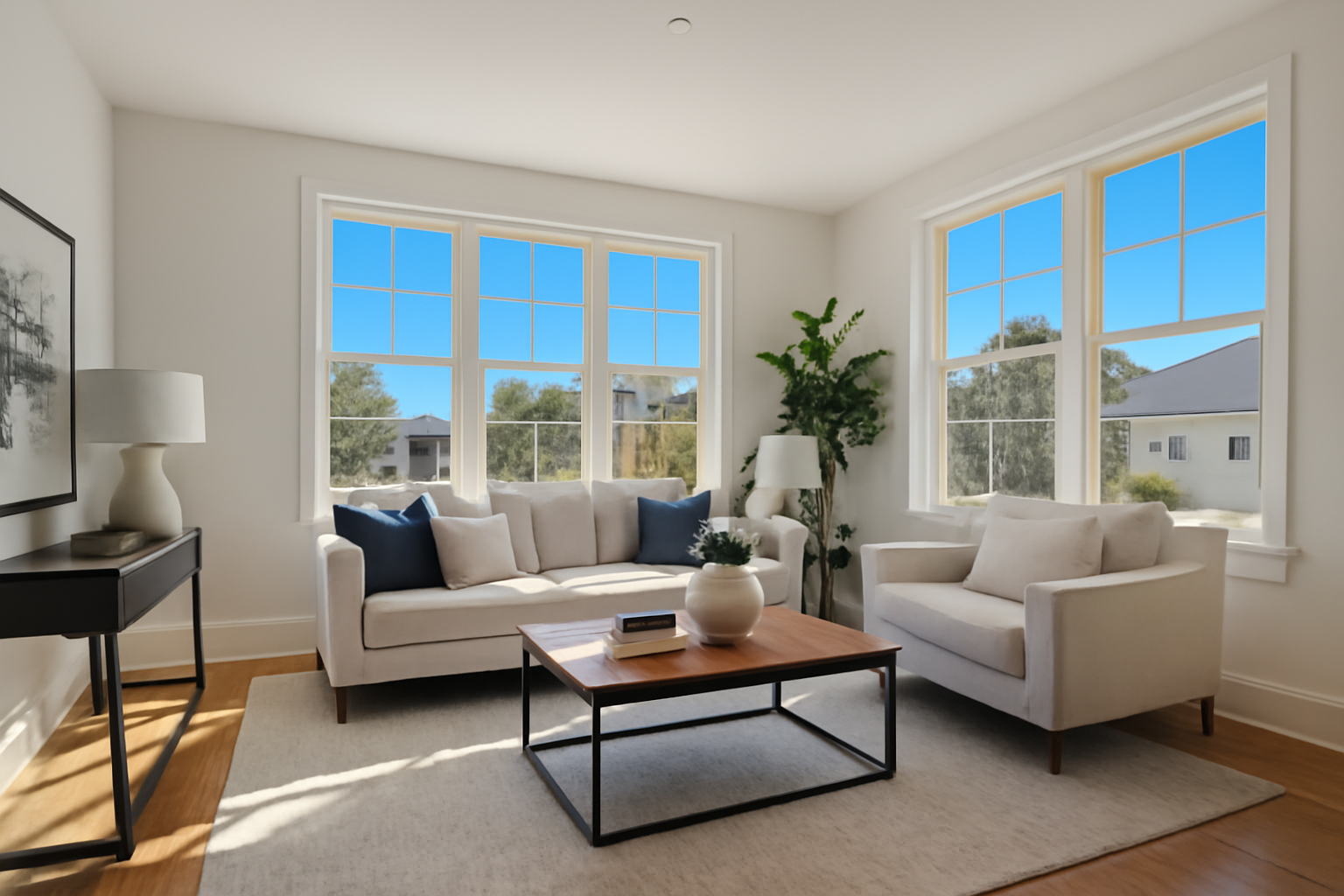
In today's fast-paced real estate market, stunning property photos are more crucial than ever. Yet, not everyone has the time, budget, or access to professional photographers. The good news is, you can now capture eye-catching real estate images right from your smartphone with the help of AI photo enhancement tools.
Why Phone Photos are a Game Changer for Real Estate
Smartphones have revolutionized photography by placing high-quality cameras into the hands of billions. With advancements in AI technology, these devices have become powerful tools for capturing and enhancing images.
The Power of Smartphone Cameras
Modern smartphones are equipped with high-resolution cameras capable of capturing detailed photographs. Combined with the right techniques and settings, these devices can deliver images that rival those taken with professional equipment.
Convenience and Cost-effectiveness
Hiring a professional photographer can be costly and time-consuming. Using your phone for property photos not only saves money but also allows you to take pictures at your convenience.
How AI Enhances Your Phone Photos
AI photo enhancement can dramatically improve your real estate photos by automatically adjusting lighting, color balance, and removing unwanted objects. For example, an overcast sky can be transformed into a beautiful blue one, and dull lighting can be brightened to make interiors look more inviting.
Tips for Capturing Stunning Real Estate Photos with Your Phone
1. Use Natural Lighting
Sunlight is your best friend when it comes to photography. Try to take your photos during the day when rooms are filled with natural light. Avoid harsh sunlight to minimize shadows.
2. Keep the Camera Steady
A shaky camera leads to blurry photos. Use a tripod or stabilize your phone against a solid surface to ensure sharp images.
3. Capture Wide Angles
Most smartphones have panoramic or wide-angle shooting modes. Using these features can help capture more of the room in a single shot, giving potential buyers a better perspective.
4. Focus on Decluttering
Remove any unnecessary items before taking pictures to ensure the space looks clean and organized.
5. Enhance with AI Photo Tools
Use AI photo enhancement tools like RealEstatePhotoEditor.com, which offer a free trial, to quickly adjust your images. These tools automatically improve photo quality, making your real estate listings stand out.
The Role of AI in Real Estate Photography
AI can be used to enhance various aspects of real estate photos, improving everything from lighting and contrast to color correction and object removal.
Automatic Adjustments
AI tools analyze your photos and make precise adjustments to enhance the image quality, allowing you to quickly prepare photos for listing.
Sky Replacement and Virtual Staging
Transform an overcast property shoot into a sunny day with sky replacement features, or add virtually staged furniture to an empty room to capture potential buyers' interest.
Improved Customer Perception
Listings with high-quality images attract more attention and generate higher interest. AI enhancements ensure that your properties always look their best.
Conclusion
Leveraging smartphone photography and AI technology enables you to produce professional-looking real estate photos without a professional photographer. RealEstatePhotoEditor.com provides a simple, effective solution to enhance your photos effortlessly. Take advantage of our free trial today.
FAQ
Can a smartphone really replace a professional camera for real estate photography?
Yes, with modern technology and AI enhancements, smartphones can produce high-quality images suitable for real estate listings.
What AI tools can help improve my real estate photos?
RealEstatePhotoEditor.com offers advanced AI tools that can enhance lighting, colors, and even replace skies, helping you craft stunning photos from your phone.
How important is lighting in real estate photography?
Lighting is crucial as it affects the mood and appeal of the property images. Natural light is recommended for the best results.
How do AI tools improve real estate photos?
AI tools automatically adjust photo settings like brightness, contrast, and colors, and can remove objects or change skies to enhance image quality.
Is there a free way to test AI photo enhancement tools?
Yes, RealEstatePhotoEditor.com offers a free trial to experience AI enhancements on your photos.
What types of shots should I prioritize with my phone for real estate listings?
Focus on capturing wide-angle shots of key rooms such as the living room, kitchen, and master bedroom, using natural light.
Before/After Examples
Living Room Transformation
- Slug: living-room-transformation
- Title: Brightened Living Room
- Description: A dimly lit living room can appear uninviting. Our AI tool enhances the living room's lighting and clarity, showcasing a more vibrant and welcoming space.
- Meta Description: AI enhancements brighten interiors, making them more vibrant and appealing.
- Features: ["Brightened interior", "Enhanced warmth", "Sharp details"]
- Before Prompt: A dimly lit living room with dull colors and shadowy corners, creating a lackluster atmosphere.
- After Prompt: A bright and cozy living room with vibrant colors, filled with natural light and a welcoming ambience.
Exterior with Sky Replacement
- Slug: exterior-sky-replacement
- Title: Enhanced Exterior with Blue Sky
- Description: The exterior of this property lacked appeal due to overcast skies. After AI-enhanced sky replacement, the setting appears inviting and bright, improving curb appeal.
- Meta Description: Transform dreary exteriors with AI sky replacement for better curb appeal.
- Features: ["Blue sky replacement", "Vibrant exterior colors", "Improved curb appeal"]
- Before Prompt: A dull exterior of a house under overcast skies, with muted colors and poor visual impact.
- After Prompt: A vibrant house exterior with a clear blue sky, enhanced colors, and strong curb appeal.
Twilight Poolside Enhancement
- Slug: twilight-pool-enhancement
- Title: Elevated Twilight Poolside View
- Description: Originally a flat image of a poolside taken at twilight, the AI-enhanced photo pops with deeper contrasts and vibrant reflections, capturing the relaxing twilight ambience.
- Meta Description: Boost twilight photos with AI to highlight captivating contrasts and colors.
- Features: ["Deepened twilight contrasts", "Enhanced water reflections", "Vibrant poolside colors"]
- Before Prompt: A poolside at twilight with flat lighting and minimal detail in shadows and reflections.
- After Prompt: A richly detailed poolside at twilight with vivid contrasts and a serene, inviting ambience.